
You can clear the insurance coverage information from a patient's record.
To clear the insurance coverage information
1. In the Family File, select the patient/subscriber.
2. Double-click the Insurance card.
The Insurance Information dialog box appears.
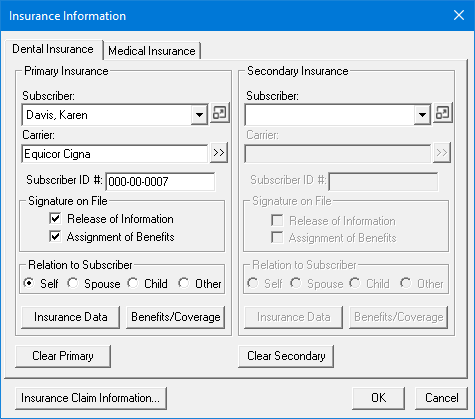
3. Click Clear Primary and/or Clear Secondary.
The following message appears.
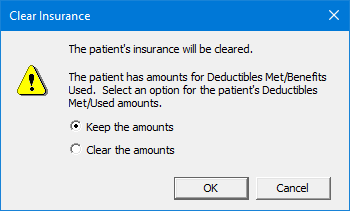
4. Do one of the following:
Keep the amounts – Select to keep the selected patient's Deductibles Met/Benefits Used amounts.
Clear the amounts – Select to clear the Deductibles Met/Benefits Used amounts if you are adding a new insurance plan to the selected patient.
5. To save the changes, click OK.